
Reuse prompts across cohorts
Goal: create or select a reusable pack, check its target profile, and apply it to a cohort. Packs are private by default and stay in your account for the next time you need them.
Choose your starting point
| You have… | Choose in /packs |
|---|---|
| An existing pack | Browse / apply existing packs |
| A JSON pack file | Import a pack from JSON |
| New extraction questions | Create a new pack |
| Good prompts in the selected cohort | Save this cohort’s prompts as a pack |
| An unfinished pack | Resume saved pack draft |
1. Select the target cohort
Use /cohorts to find a cohort, or enter:
/use "First extraction"
/packs
You can create library packs without a selected cohort. Applying a pack requires a cohort you can manage. You can also choose a pack in the Prompts step when creating a cohort.
2. Inspect an existing pack
Choose Browse / apply existing packs, search by name, and inspect the questions. Check instructions, output schemas, text/vision mode, and routing names when needed.
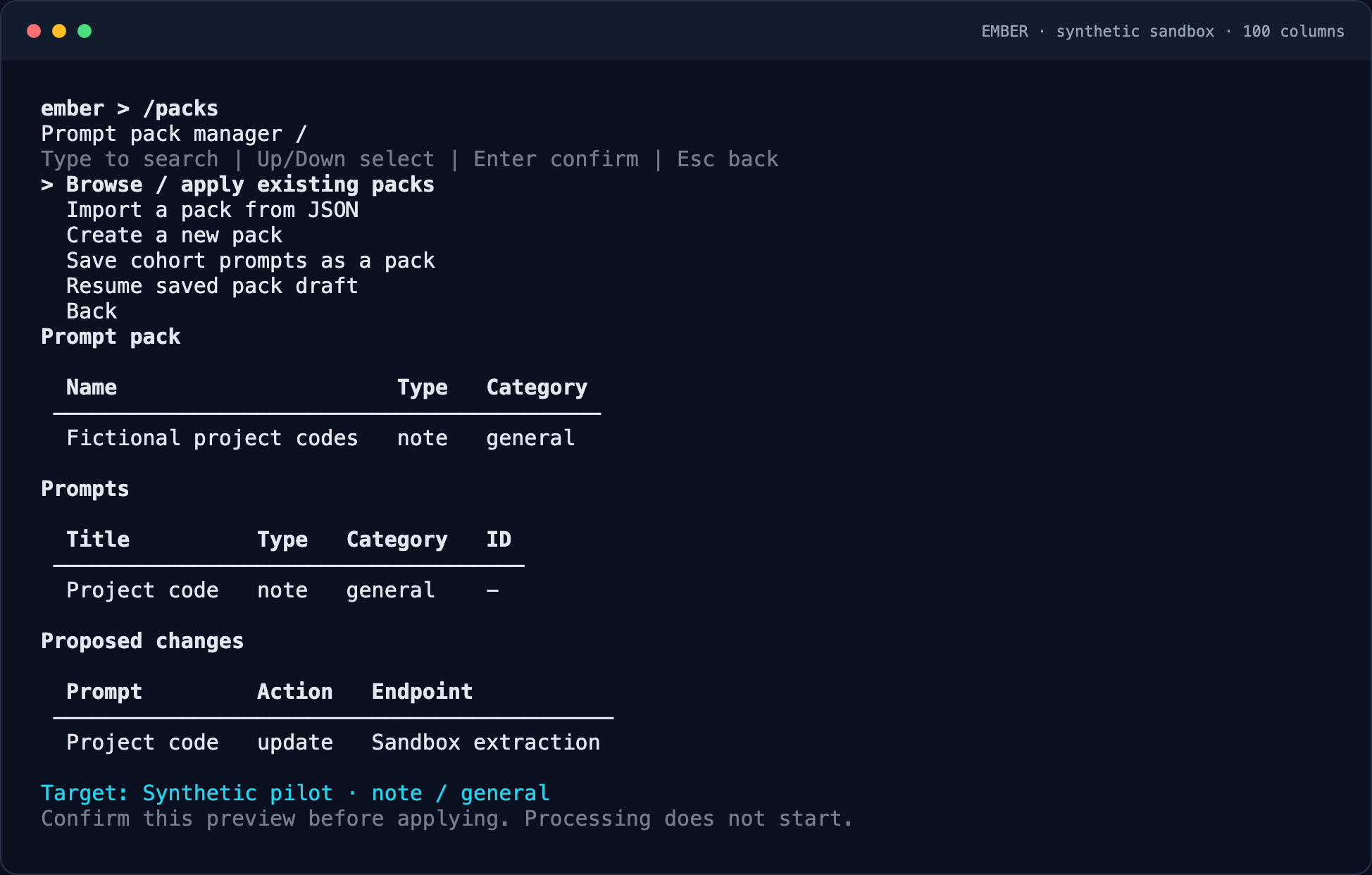
A pack covers one document type/category. Confirm that this matches documents in the target cohort. Labels alone are not enough: a note / general pack will not cover a different profile.
3. Review the changes before applying
The preview names the target cohort and distinguishes prompts to create from matching prompts to update. Resolve missing profiles or unresolved endpoint names first. Ember does not silently substitute another endpoint.
Confirm the changes only after checking the target. Existing extraction history is retained. Applying a pack does not start extraction. Return to /prompts to inspect the saved questions, then /process when ready.
Import a JSON pack
Save this example as project-codes.json, then choose Import a pack from JSON and supply its path:
{
  "name": "Project codes",
  "document_type": "note",
  "items": [
    {
      "label": "Project code",
      "prompt_text": "Extract the explicitly stated project code. Return JSON only."
    }
  ]
}
Category defaults to general. Exported {"prompts": [...]} files are also supported. Split mixed-profile collections into separate packs. If Ember finds a problem, it shows you what to fix. Edit the file and choose retry to continue.
Expected result: the pack appears in your library. Select it again to apply it to a cohort; importing into the library is a separate operation.
Create or edit a draft pack
- Choose Create a new pack and enter a name, document type, and category.
- Add unique prompt titles and clear extraction instructions.
- Add an output schema or select vision mode only when needed and supported by your endpoint.
- Inspect the draft. Edit a prompt or remove it with confirmation before saving.
- Save the pack privately. Resume an interrupted draft through Resume saved pack draft.
To reuse existing cohort questions, select the cohort, choose Save this cohort’s prompts as a pack, select its profile, and inspect the snapshot before confirming. Routing names are retained.
Recover without duplicate packs
| Message or situation | What to do |
|---|---|
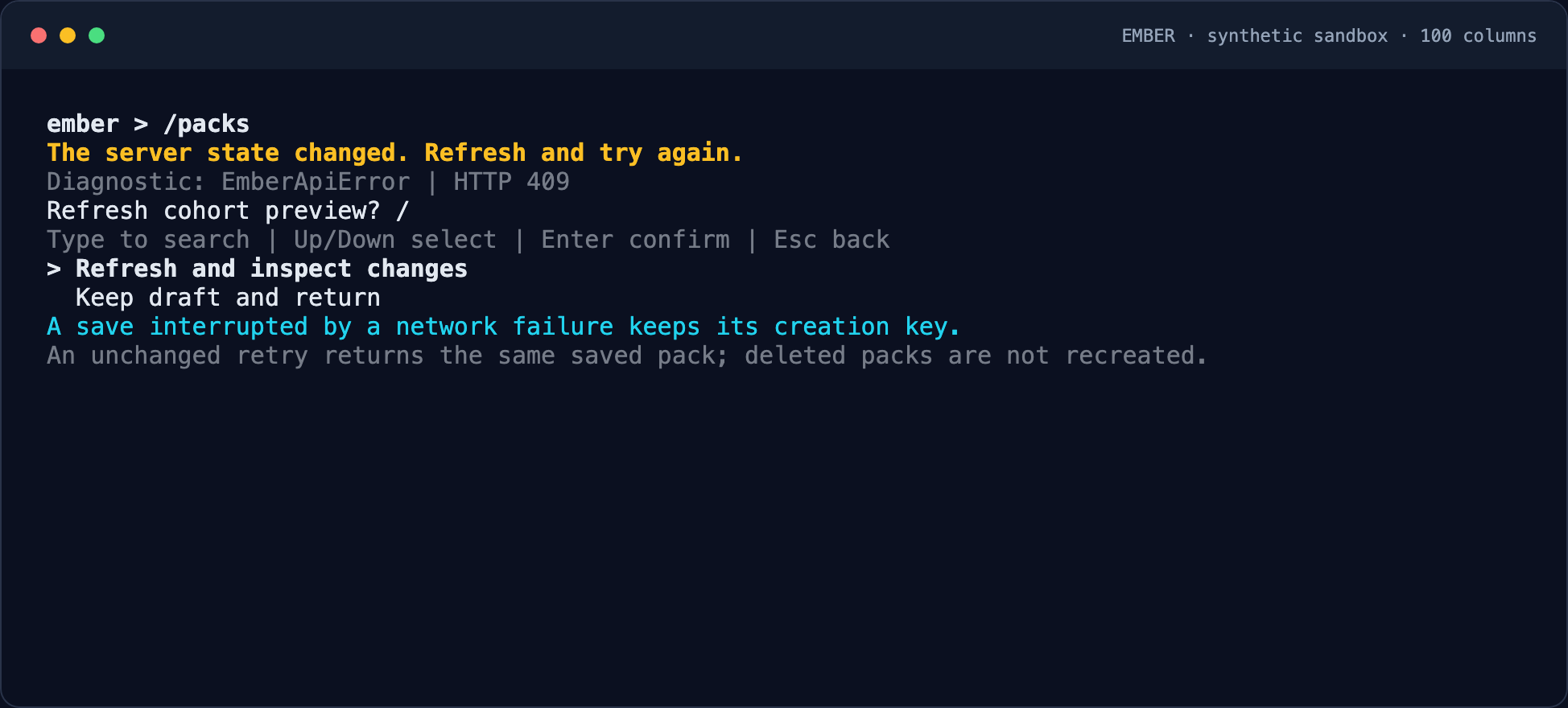
| Connection lost while saving | Resume the same pending operation; Ember remembers the save attempt so you do not create a duplicate |
| Preview is stale | Refresh, inspect the new changes, and confirm again |
| Endpoint name unresolved | Ask an administrator to configure the route, or correct the pack |
| Permission denied | Select a cohort you manage or contact its owner |
| Old creation key refers to a deleted pack | Create a new pack; retrying cannot restore a deleted one |
| Safety capability unavailable | Ask your administrator to update Ember before saving or applying packs |
Administrator note: guarded pack operations require capability prompt_pack_safety_v1 and migration 021. These safeguards preserve existing results and never trigger processing.
Script the same workflow
Run these in your shell, replacing COHORT_ID and PACK_ID with actual identifiers. --yes confirms mutations without an interactive prompt.
uv run ember workspace packs list
uv run ember workspace packs import examples/quickstart/pack.json --name "Project codes" --yes
uv run ember workspace packs apply COHORT_ID PACK_ID --yes
Next: monitor processing or understand your exports.