
Take your results with you
Goal: receive three consistent files and verify you can map every result to its original patient.
1. Choose where files go
Before processing, select a writable output directory. The CLI writes files on the machine where it runs, even when the API or inference server is remote. Keep /status watch active or resume it after reconnecting for automatic delivery.
2. Choose the intended values and layout
Automatic delivery defaults to Original · unreviewed. Use detailed findings for one row per finding, or document matrix for one row per document/run. For cohorts with completed reviews, you can choose reviewed results instead. Values still awaiting a decision remain marked as unresolved.
3. Verify completion
Look for successful CSV, Excel, and JSON downloads in the summary. Open the output directory and inspect the manifest. Check that patient_id contains the original identifiers, including 00123 in the fictional example. In Excel, use the XLSX file directly; when importing CSV, set ID columns to Text.
4. Recover an interrupted download
Enter /export for the selected cohort and choose the offered resume or verify/restore action. Choose the interrupted download so Ember restores the missing files. Rerunning models is not necessary to recover an export.
Files and provenance
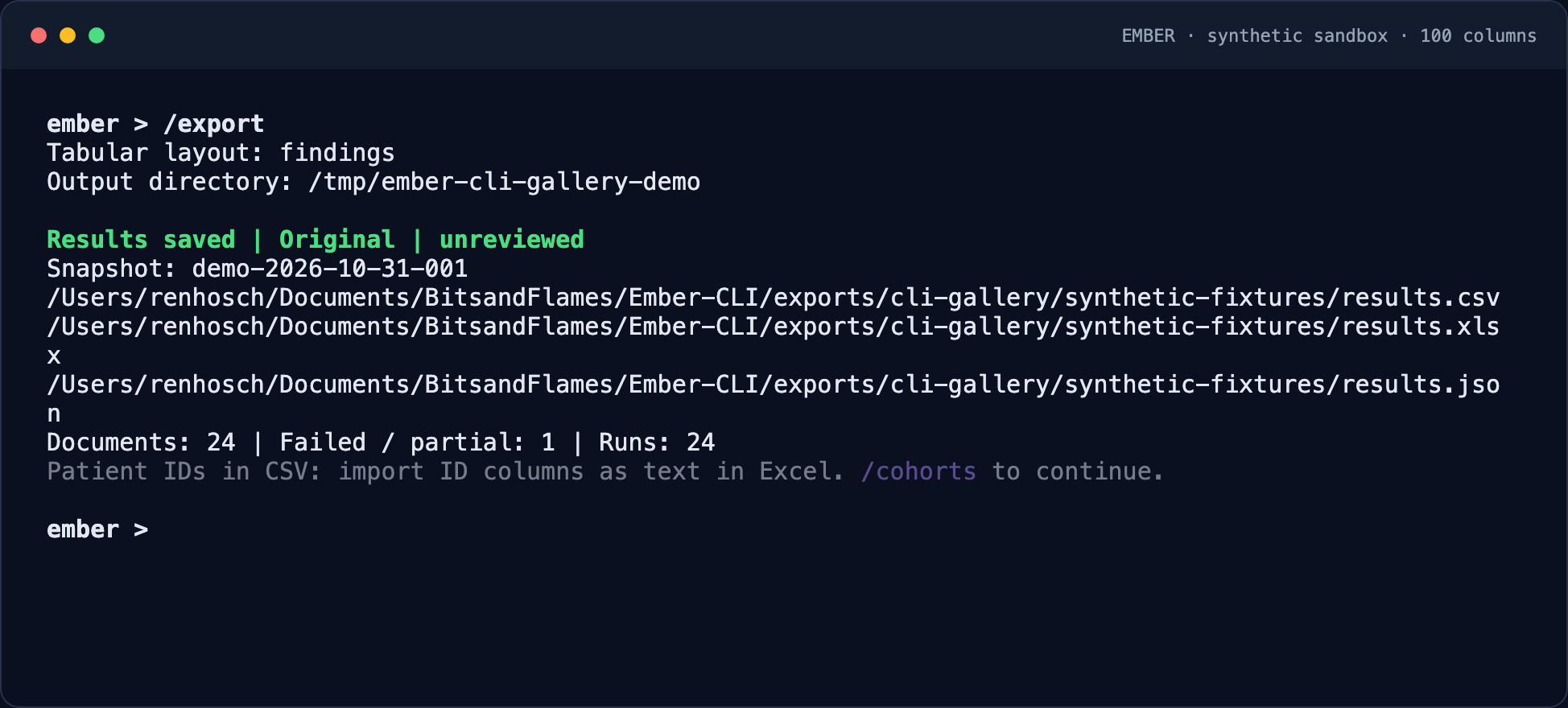
Automatic delivery writes a separate snapshot directory under the output folder you selected:
YOUR_OUTPUT/
└── COHORT_ID/
    └── DELIVERY_ID/
        ├── results.csv
        ├── results.xlsx
        ├── results.json
        ├── manifest.json
        └── snapshot.zip
CSV, Excel, and JSON come from the same extraction snapshot. The manifest records context, counts, and checksums; the ZIP supports recovery. Each download has its own folder, so earlier files stay intact.
- Original · unreviewed is the default. Unsaved or unfinished reviews do not change these files.
- CSV and Excel include
patient_idfirst, with document/run/prompt identity and provenance. Failed documents remain visible. - Choose detailed findings or a document matrix. Excel stores IDs as text; when importing CSV into Excel, select Text for ID columns to retain leading zeros.
- Previously reviewed cohorts still have explicit reviewed-export commands.