
Connect your documents or FHIR server
Before you start: obtain the base URL and identity-provider settings from your administrator. Use the document API address as the base URL, not the token endpoint. For inline text/local files, continue directly to inference setup.
1. Choose manual entry or a file
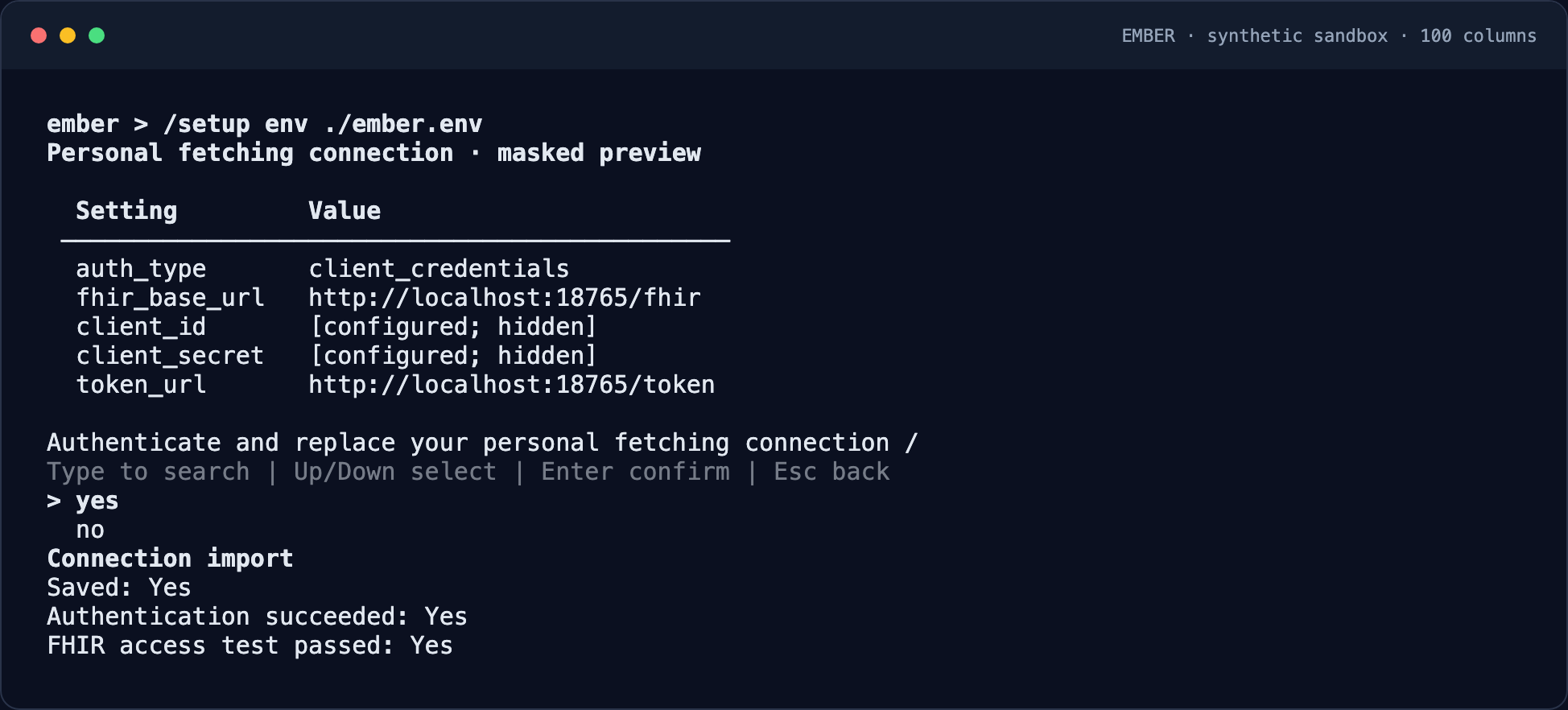
Use /setup fhir for guided entry. To reuse a prepared configuration, follow the environment-file examples below and enter /setup env ember.env inside Ember.
2. Preview and save
Check the base URL, client ID, and authentication mode in the masked preview. Confirm saving. Authentication success means Ember obtained a token; it is separate from confirming document access.
3. Try a test document
For FHIR, inspect the separate connection-test outcome. For a generic document server, use an explicit fictional document URL within the configured base path. A failing FHIR-specific test alone does not establish that a non-FHIR server is unusable.
Connection examples
Using inline text or local files? Skip this step. For protected URLs, configure your personal fetching connection before importing documents.
Choose /setup fhir for guided entry, or create a private ember.env file:
FHIR_BASE_URL=https://fhir.example.org/fhir
FHIR_AUTH_TYPE=client_credentials
FHIR_CLIENT_ID=ember
FHIR_CLIENT_SECRET=replace-with-your-secret
FHIR_TOKEN_URL=https://identity.example.org/oauth/token
Then import it inside Ember:
/setup env ember.envReview the masked settings and confirm saving. For a document server, replace every FHIR_ prefix with DOCUMENTS_ and set the base URL to your document API. Use one prefix consistently.
- Client credentials supports an explicit token URL or issuer discovery, optional scopes/audience, and HTTP Basic or POST-body client authentication.
- This is machine-to-machine OAuth2, including OIDC-provider token endpoints; you supply a client ID and secret rather than signing in as a person.
- FHIR and document settings configure one personal fetch connection, not two independent connections. Tokens are restricted to its origin and base path.
- Authentication and access testing are separate. A generic document server may not implement the FHIR test route; try downloading a fictional test document from its URL instead.
Keep the file private; ember.env is gitignored. See the connection guide and environment template for supported settings. The existing Basic mode exchanges credentials at an authentication URL for a token; it is not arbitrary per-document HTTP Basic authentication.
Document-server example
DOCUMENTS_BASE_URL=https://documents.example.org/api
DOCUMENTS_AUTH_TYPE=client_credentials
DOCUMENTS_CLIENT_ID=ember
DOCUMENTS_CLIENT_SECRET=replace-with-your-secret
DOCUMENTS_TOKEN_URL=https://identity.example.org/oauth/token
Import with /setup env ember.env, then provide document URLs within the configured base path in your manifest. Use fictional documents to check access before importing a real cohort.
Issuer discovery and optional settings
When no explicit token endpoint is available, replace FHIR_TOKEN_URL with FHIR_ISSUER. An explicit token endpoint takes precedence. For document connections, use the corresponding DOCUMENTS_ names.
FHIR_ISSUER=https://identity.example.org/realms/research
FHIR_SCOPES="documents.read"
FHIR_AUDIENCE=research-api
FHIR_CLIENT_AUTH_METHOD=client_secret_basic
Scopes and audience are optional: use values supplied by your administrator, rather than copying these examples blindly. client_secret_post is available when the identity provider requires the client ID and secret in the POST body. No scopes or audience are added automatically.
Before saving
The preview masks secrets. Confirm the target server and authentication mode, then save. Keep secrets out of shell history and Git. Import values are literal; shell commands and variable expansion are not executed. Existing saved configuration remains intact if saving fails.
What this does not configure
This personal connection does not configure LLM endpoints, organization-level FHIR write-back, or a second simultaneous document-server connection. Configure inference separately.