
Everyday commands
Goal: know what is running, which model is being used, and whether you need to act.
1. Select the cohort to follow
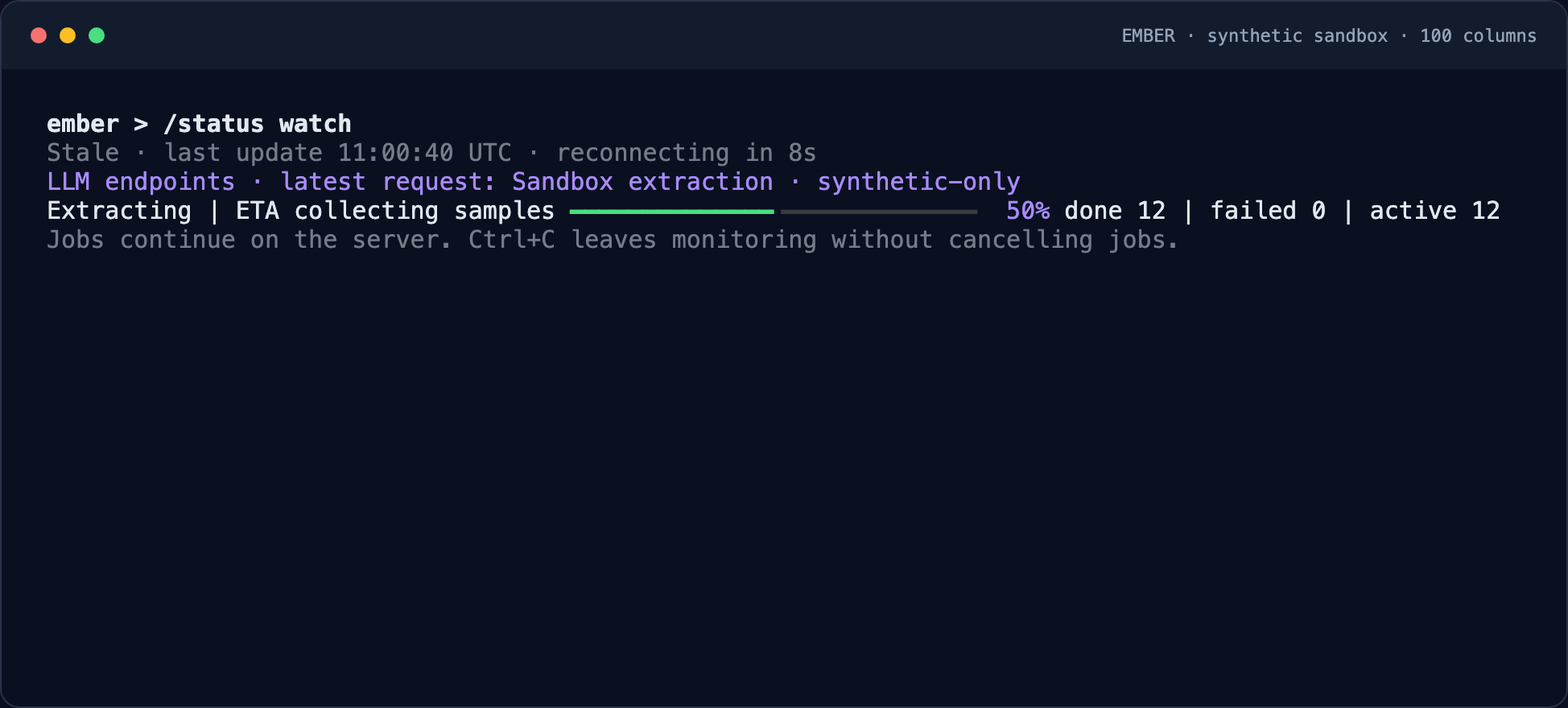
Enter /cohorts, select the cohort, then run /status watch. This view monitors one cohort and completes its automatic exports. Use /overview watch to compare accessible cohorts; the overview itself does not download results.
2. Read progress correctly
Check the endpoint and model first. Completed documents have finished processing; partial and failed documents need attention. ETA is an estimate based on observed throughput, not a deadline. Missing endpoint metadata is shown explicitly for older runs.
3. Leave or reconnect safely
Exiting monitoring does not stop server jobs. If the network drops, keep the workspace open: it marks the previous status stale and retries with backoff. After sign-in recovery, continue with the same API/account and cohort. Do not start processing again just to restore the display.
4. Finish delivery
When processing finishes or stops, check the export summary. If downloads were interrupted, select the same cohort and use /export to resume. Only missing downloads need retrying. See export verification.
Command reference
Type these inside uv run ember:
| Command | What it does |
|---|---|
/cohorts | Search, page through, and select your cohorts. |
/use "First extraction" | Return to a cohort by name. |
/packs | Browse, create, import, or apply reusable prompt packs. |
/documents / /prompts | Inspect sources, import more documents, or add/edit prompts. |
/process | Preview pending/failed, changed, or all documents before starting. |
/status watch | Monitor the selected cohort and finish automatic exports. |
/overview watch | Monitor all accessible cohorts together; this view does not download exports. |
/pause / /resume / /retry | Pause processing, resume it, or retry failed documents. |
/export | Show saved files, recover an interrupted delivery, or create a new snapshot. |
/doctor | Check API compatibility, authentication, configuration, services, and output access. |
/quit | Exit the workspace. Server jobs keep running. |
Temporary network failures retain the last display and reconnect with backoff. Leaving monitoring does not stop jobs. To recover an interrupted session, select the same cohort and use /status watch or /export; you do not need to rerun extraction.
To automate these steps, start with uv run ember --help and the scripted command guide. Use JSON output when another program needs to read the results.